- August 4, 2025
- Daily Edge News
- 0
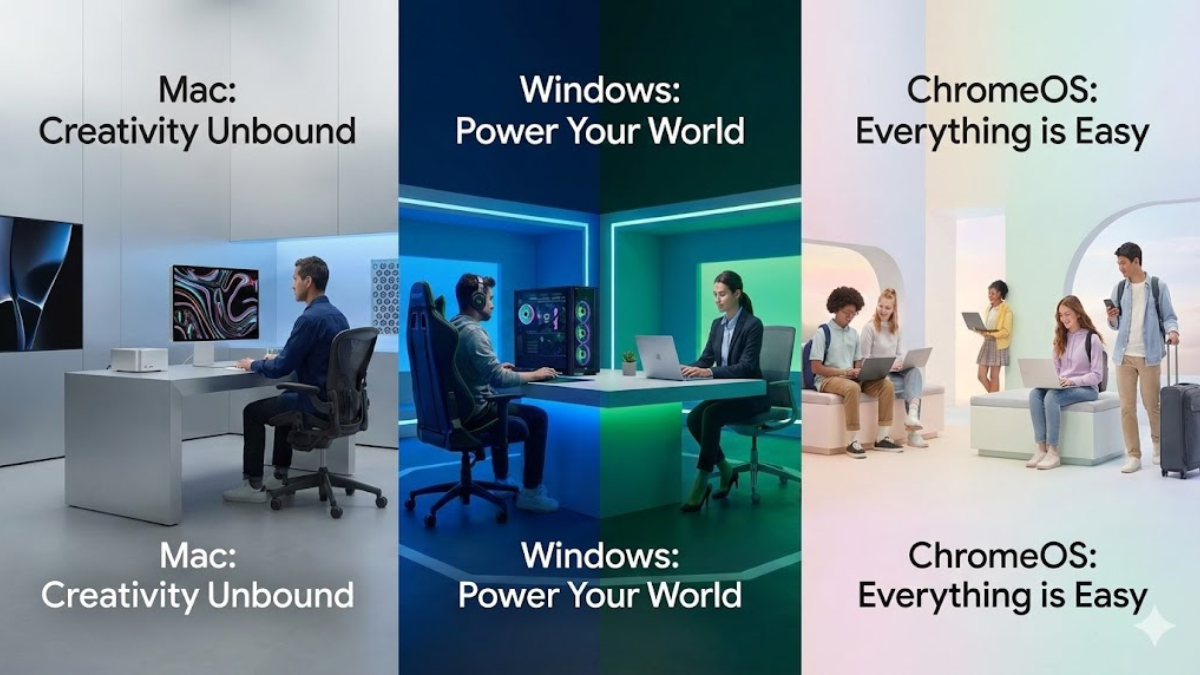
The year 2026 has brought the most significant shift in computing since the invention of the graphical user interface. We are no longer just choosing a “desktop layout”; we are choosing an AI Ecosystem. Whether it’s the on-device “Apple Intelligence” of macOS, the “Copilot+ Performance Fundamentals” of Windows, or the “Gemini-Integrated” simplicity of ChromeOS, your operating system is now your personal assistant.
For a techie, the choice is about architecture and freedom. For students, it’s about longevity and budget. And for gamers, it’s about every single frame per second. This guide settles the debate: Mac vs. Windows vs. ChromeOS in the 2026 landscape.
macOS Tahoe: The Creative & Unified Powerhouse
Apple’s 2026 release, macOS Tahoe, has officially moved the Mac beyond Intel support, focusing entirely on the M-series silicon. It introduces the “Liquid Glass” design language—a translucent, fluid aesthetic that makes your workspace feel more like an extension of your iPhone and iPad than ever before.
Key Features for 2026:
- Intelligence Actions: Execute complex tasks (like “Summarize my last 5 emails and draft a reply”) directly from the redesigned Spotlight bar.
- Tahoe Shield: On-device AI that detects phishing and malware in real-time without ever sending your data to a cloud server.
- Universal Control 2.0: Seamlessly use your Mac mouse and keyboard across three different Apple devices, including the Vision Pro 2.
Who it’s for:
- Creative Professionals: Still the undisputed king for video editing (Final Cut Pro) and music production (Logic Pro).
- Software Developers: Specifically those building for iOS or those who prefer a native Unix-based environment.
- Students: The MacBook Air remains the gold standard for university life due to its 22+ hour battery life and silent operation.
Windows (11/12): The Performance & Gaming Titan
In 2026, Microsoft has pivoted away from “AI Bloat” and back to “Performance Fundamentals.” The latest Windows updates have introduced significant optimizations for system scheduling and background workload management, specifically designed to make PCs faster for high-end gaming and local development.
Key Features for 2026:
- Advanced Shader Delivery (ASD): Windows now pre-compiles shaders during a game’s download, meaning no more stuttering on your first playthrough.
- Auto Super Resolution (Auto SR): OS-level AI upscaling that works on AMD, Intel, and Snapdragon NPUs, boosting frame rates in older games without developer patches.
- Windows Subsystem for Linux (WSL 3): Offers near-native performance, making Windows a powerhouse for software developers and coders.
Who it’s for:
- Gamers: Still the only choice for those who want access to every AAA title, Steam, and Xbox Game Pass with full hardware support.
- Techies: If you want to build your own PC, upgrade your RAM, or swap GPUs, Windows is your only path.
- Business Users: Total compatibility with every legacy enterprise tool and the best multitasking window-snapping features in the industry.
ChromeOS: The Speed & Simplicity Specialist
Gone are the days when ChromeOS was “just a browser.” In 2026, ChromeOS Plus devices are legitimate thin-and-light contenders, powered by Google’s Gemini 2.5 Pro. It has become the “Zero-Maintenance” OS.
Key Features for 2026:
- Gemini Canvas: A system-wide AI tool that lets students auto-generate study guides, quizzes, and visual explainers from any open tab.
- Class Tools: For managed student devices, this allows teachers to share content directly to screens and monitor focus in real-time.
- Zero-Touch Enrollment: For business travelers, a new Chromebook can be set up in under 60 seconds just by logging into a Google account.
Who it’s for:
- Learning Students: Specifically K-12 and general college students who live in Google Workspace (Docs, Sheets, Slides).
- Budget Seekers: You can get a high-quality Chromebook Plus with a 120Hz screen for half the price of a MacBook.
- Minimalists: Users who want a device that never slows down, never needs a manual “update and restart,” and is virtually virus-proof.
The 2026 Head-to-Head Comparison
Feature | macOS Tahoe | Windows (11/12) | ChromeOS Plus |
Best For | Ecosystem & Design | Gaming & Choice | Speed & Value |
AI Integration | Apple Intelligence (Private) | Copilot (Powerful/Cloud) | Gemini (Integrated) |
Software Support | Creative & Unix Tools | Everything | Web & Android Apps |
Battery Life | Best (20+ Hours) | Good (12-16 Hours) | Great (15+ Hours) |
Gaming | Improving (Cyberpunk etc.) | Unbeatable | Cloud Gaming (GeForce Now) |
Expert Recommendation: How to Decide?
- Look at your Phone: If you have an iPhone, the integration of macOS is a productivity superpower (iMessage, Photos, and Airdrop).
- Check your Hobby: If you are a gamer, don’t even look at the others. Buy a Windows machine with an RTX 50-series card.
- Check your Workflow: If your entire life is in a browser (Gmail, Netflix, Google Docs), save your money and get a high-end Chromebook Plus. You’ll get better hardware for less money.
- Check your Career: If you are into Data Science or .NET development, Windows is safer. If you are into Mobile App dev or Design, Mac is the industry standard.
Internal Linking: Build Your 2026 Setup
Choosing an OS is the first step. Now, find the hardware to run it:
- The High-Performance Choice: See our list of the Best High-Performance Laptops for Developers.
- The Gaming Route: Dive into the Ultimate Gaming Laptop Guide: Power & Thermals.
- The Traveler’s Pick: Check out the Top Portable & Lightweight Laptops of 2026.
Final Verdict
In 2026, there is no “bad” choice—only a “wrong fit.” Windows remains the most flexible, Mac remains the most refined, and ChromeOS remains the most efficient.